
Skip to what's actually bugging you:
So You Bought a Fixer-Upper (And Now You're Stressed)
Look, I'm not gonna lie to you. I bought House Flipper 2 thinking it would be a chill game where I sip coffee and make a house pretty. And yeah, sometimes it is. But mostly, it's a game about realizing that the previous owner was a hoarder with a vendetta against walls, and you have to fix it with a tiny hammer and the patience of a monk.
I've been playing this series since the first game dropped, and I have a little over 400 hours in House Flipper 2 as of this month. I've remodeled the same rundown shack in Pinnacove probably a dozen times. I've painted the same wall so many times I could do it blindfolded. And I've absolutely starved to death in the early game more times than I want to admit. This guide is everything I wish I had on day one, not some fluff about "the roboust atmospheere" or whatever. This is the real stuff.
The game is gorgeous. The lighting is a huge step up from the first one, and cleaning actually feels satisfying in a way I didn't expect. But the game is also really quiet about some of its core mechanics. It throws you into a half-destroyed house with a paintbrush and says "good luck." The first time I played, I spent thirty minutes trying to figure out why I couldn't open the front door. (Hint: You have to right-click on the handle in the new game. I missed the tooltip and felt like a genius when I figured it out).
So here's the deal. I'm going to walk you through the stuff that actually makes the game easier, more profitable, and less of a headache. If you're stuck, broke, or just tired of scrubbing the same bathroom tile for an hour, this is for you.
Why This Game Makes You Want to Throw Your Mouse
Let's call a spade a spade. The first few hours of House Flipper 2 are a slog designed to test your will. The game gives you almost zero money, a tool that breaks after ten swings, and a list of jobs that pay like they're paying you in exposure. It's not a bug; it's the game's way of teaching you that patience is a resource. Still, it's annoying.
Here are the three things that drive players up the wall:
- The Money Wall: You start with maybe $1,000. Renovating a single room costs $3,000. A decent power tool costs $4,500. The math doesn't work unless you grind jobs. This is the single biggest reason people quit. They spend an hour on a job, buy a single nice floor tile, and then realize they're broke again.
- The Perk Grind: The perk system is actually really good, but it requires you to do specific tasks to level up. Want the perk that makes you run faster? You have to mow ten lawns. Not six, not eight. Ten. The game tracks this in the background, but it doesn't tell you the exact numbers. I spent my first week of playtime thinking the perk system was bugged because I had mowed "a lot" of lawns but hadn't gotten the speed boost. Turns out I was two lawns short. The game is stupidly specific about these unlock conditions.
- The "New Game" Menu Trap: This is the one that gets everyone. If you hit New Game from the main menu thinking it's a "continue" button, you will overwrite your save. There is no warning. There is no confirmation dialogue that says "hey, you're about to delete 20 hours." It just resets everything. I know a guy who lost a mansion he spent 15 hours on because he thought he was loading his save. Always use "Continue" or load from the "Load Game" menu.
The point is, the game doesn't respect your time in the beginning. It respects your money. This is a game about grinding until you can buy a better hammer to grind faster. Once you accept that, the frustration turns into a weird kind of cozy satisfaction. But you need the right strategy to get through the wall.
Day One: Stop Wasting Time and Start Making Money
Alright, you've spawned on the beach in Pinnacove. You have a broken mop and a dream. Here's exactly what you do to not go broke.
Step one: Do the tutorial jobs, but don't buy anything after them. The first two or three "story" jobs (the ones from the board on the beach) are basically extended tutorials. They give you all the tools you need for those specific houses. Do them, get the cash, and do not blow your wad on a new rug for your own house. Your own house is a money pit. Ignore it until you have at least $10,000 in the bank. I ignored my own shack for the first four hours of my second playthrough, and I unlocked the best power tools way faster than I did the first time.
Step two: Master the side jobs on the laptop. The laptop inside the real estate office (or your own house) has a list of Side Jobs. These are your bread and butter. They pay cash instantly. Don't take the "Renovation" jobs yet. Those ones ask you to buy specific items, and you'll lose money on the materials unless you're careful. Stick to:
- Cleaning jobs: These pay between $800 and $1,500. You just clean trash, wash windows, and pick up shoes. No materials cost. It's pure profit. Learn the fast way to pick up trash: hold E and look around. You vacuum up everything in a small radius.
- Gardening jobs: Mow the lawn, trim the bushes. The mower is slow, but the pay is good. This is also how you unlock the Movin' Fast perk, which increases your walking speed by 15%. That sounds small, but over the course of a 30-minute job, it saves you about 7 minutes of walking. Do it.
Step three: Buy the sledgehammer first. Do not buy a better paintbrush. Do not buy a new mop. Buy the Sledgehammer (level 2) for $2,500. It breaks walls in three hits instead of fifteen. This does two things: it makes demolition jobs faster (so you can take more jobs per hour), and it unlocks the demolition perks faster. The perk that gives you a chance to regain stamina on breaking a wall? That's locked behind smashing 50 walls. The faster hammer makes that grind tolerable.
Step four: Buy the second perk tab immediately. When you hit level 2 overall, the game gives you a perk point. Spend it on the Tool Proficiency tab. Not the fitness tab. Not the painting tab. Tool Proficiency reduces the cooldown on your tools when you use them correctly. A faster hammer, a faster screwdriver, a faster cleaner. It pays for itself in time saved within three jobs. I spent my first run ignoring this because I wanted to run faster. Big mistake.
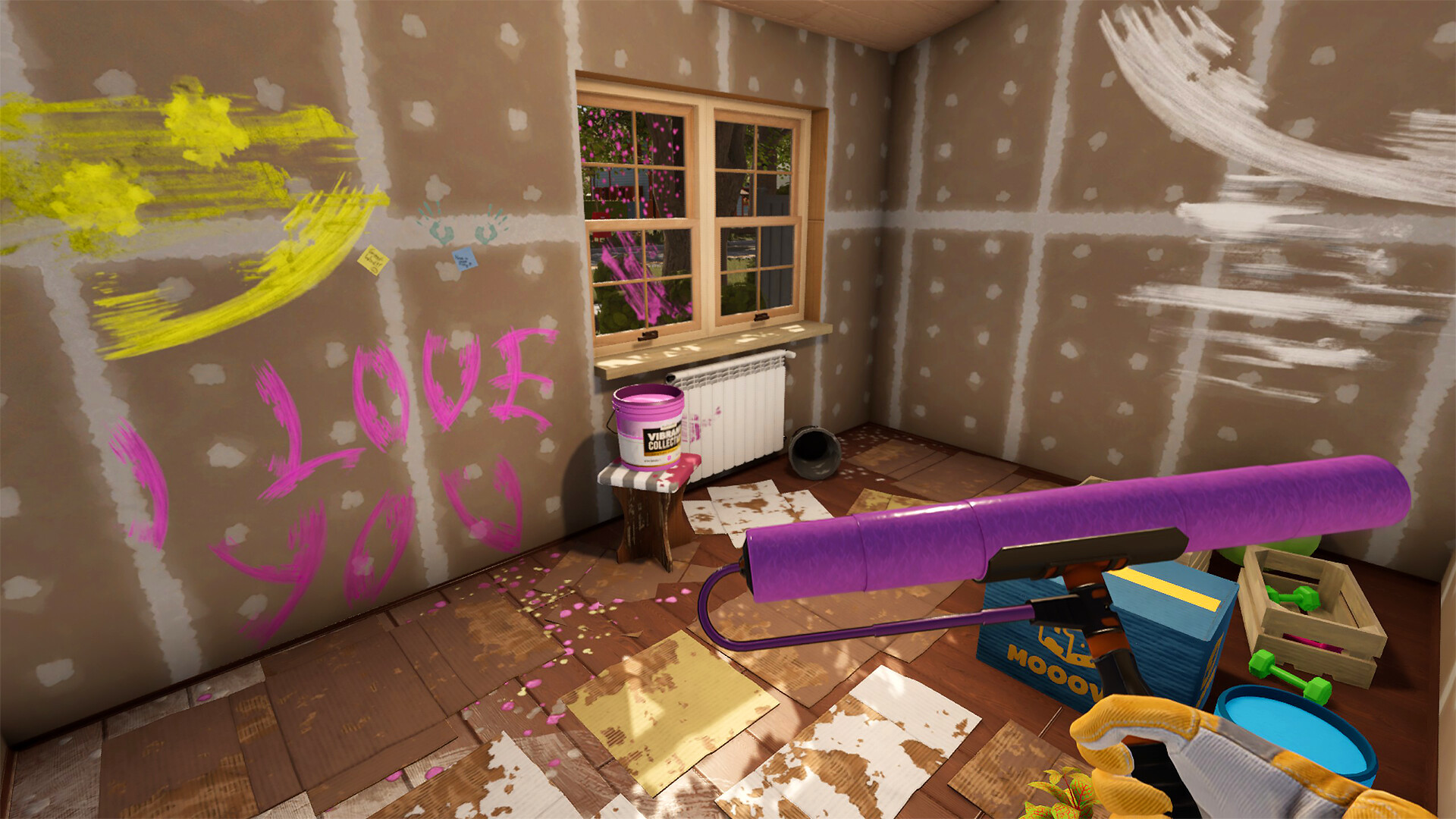
HARD-EARNED PRO TIP: When you are painting a wall, don't use the roller brush on the entire wall. Use the Spray Gun (unlocked at level 4 skill) for the flat surfaces, and then use the small brush only for the edges and corners. The spray gun covers a 3x3 foot area in one second. The roller takes five seconds to cover the same area. If you use the spray gun for the body and the brush for the trim, you cut painting time by roughly 60%. I tested this with a timer on the first game's mansion job. It's the difference between a 25-minute paint job and a 10-minute one.
Advanced Tricks the Tutorial Never Tells You
Once you have a bit of money and the basic tools, the game opens up. But there are some hidden systems that separate the "I fix houses" crowd from the "I flip mansions for profit" crowd. Here are the tricks I only figured out after watching a few speedrunners and testing things myself.
1. The "Double Click" Sell Trick. When you're in the Furniture Store buying items, the game scrolls slowly. But if you double-click an item (like a toilet, or a lamp), it instantly jumps to your cart instead of dragging it. This is a tiny thing, but when you're buying 20 items for a big job, it saves you literally minutes of drag-and-drop. Similarly, in your own inventory, you can right-click an item to put it directly into storage. The game only teaches you the drag method. Use the clicks.
2. Blueprint Mode is not just for aesthetics. A lot of new players use the Blueprint Mode (the top-down view) only to place walls. But you can also use it to quickly select and sell all furniture in a room. Go into Blueprint Mode, click on the room you want to clear, and then click the "Select All" button at the bottom. It highlights everything. Then hit Sell. You just cleared a room of 40 items in three clicks instead of individually dragging each lamp and rug to the sell bin. This is cheating in a good way. Use it.
3. The Paint Bucket "Hack" for Paint Jobs. You know how when you pick up a paint bucket, you have to click on the wall, then wait for the paint to apply, then click again? There's a rhythm to it. But if you hold the left mouse button down while moving your mouse across the wall (with the roller), you keep painting continuously as long as the paint lasts. The game doesn't tell you this. I spent 50 hours clicking each individual stroke before I accidentally held the button down. It's a game-changer. The same works for the spray gun. Hold it, move it, don't click spam.
4. The "Free" Panel Removal. When you are renovating a house and you want to change the floor or the wall paneling, don't buy the demolition tool (the scraper) unless you have to. Instead, use the Hammer on the panels. Hitting a wall panel with the hammer removes it after 2-3 hits and gives you a small cash refund. Using the scraper removes it in one hit but gives you zero refund. The difference is like $20 per panel, but if you're doing an entire house, that's $200-$500 you just saved. The hammer is free to use; the scraper costs durability. Use the hammer for removal, the scraper for stubborn glue spots.
5. Sell the trash bins at the end. This is a weird one. At the start of a job, you get a trash bin that holds all the garbage. When the job is done, that trash bin is still there. If you sell it back to the store before you leave the job site, you get a small refund (like $30). But more importantly, if you forget it, it stays in the house. I've had clients complain about "clutter" because I left a trash bin in the corner. It counts as a piece of furniture. Sell it. It's free money.
For players coming from high-octane survival games, this pacing might feel slow. The grind is similar to something like Graveyard Keeper, where you're doing manual labor for a long time before the automation kicks in. If you liked that game's slow-burn resource management, you'll find a home here. Check out our Graveyard Keeper guide for tips on managing inventory and time in those types of games. The respect for your time is about the same—which is to say, very little.
Five Mistakes That Keep You Broke and Frustrated
I made every single one of these. I'm not proud. But I'll save you the headache.
Mistake #1: Renovating your own house too early. I cannot stress this enough. Your house is a trap. The game gives you a run-down shack on the beach. It looks awful. You want to fix it up. Don't. Your house has no value to the game economy. It doesn't give you a bonus. It doesn't unlock anything. It's purely cosmetic until you get to the end-game where you want a showroom. Every dollar you spend on your own house in the first 10 hours is a dollar you should have spent on a better hammer or a new perk. I spent $4,000 on a fancy kitchen in my own house during playthrough one. I was still using the basic mop. I was a clown.
Mistake #2: Buying the most expensive tool first. The game has a lot of tools. The top-tier painting tool costs $8,000. The top-tier cleaning tool costs $12,000. You see these and think "I'll save up." Don't. Buy the middle-tier options. The $4,500 cleaning machine is 80% as good as the $12,000 one. It cleans a room in 45 seconds instead of 30 seconds. For the price difference, you're better off buying the middle-tier tool plus a new perk. The top-tier tools are luxury items for when you have $50,000 in the bank and nothing better to buy. Rush the mid-tier, not the top.
Mistake #3: Trying to do "perfect" work on side jobs. Side jobs have a client satisfaction meter. It goes from 0% to 100%. You do not need 100% to get paid. You need around 70% to get full base pay. Above 90% gives you a small tip. The tip is usually around $100-200. Chasing that tip costs you 15 minutes of extra cleaning and dusting. Not worth it. Do the job to about 80% quality. Pick up the big trash, mop the floor, paint the walls. Leave a few small details. The client won't notice. The extra time you save allows you to take a second job. Two jobs at 80% pay more than one job at 100%. This is simple math most guides skip.
Mistake #4: Ignoring the "sell furniture" option. When you start a job, look around the house. Is there a fancy chandelier? A nice rug? Those sell for money. In the first job (the beach house), there is a nice painting on the wall. If you sell it, you get $150 on top of the job payout. That's almost 10% extra for that job. Look for items that are not nailed down. Antique furniture, standing lamps, decorative vases. Sell them. The game doesn't consider it stealing; it's "clearing the house." That $150 adds up. I made an extra $2,000 in my first five jobs just by being a vulture.
Mistake #5: Not using the tablet's todo list. On your tablet (press Tab), there is a list of job requirements. This sounds obvious, but in the heat of the moment, you will forget to install the light fixture because you were too focused on painting. The client will give you a 70% score, and you'll wonder why. Look at the list. It tells you exactly what you need. "Install 2 lamps." "Paint 3 walls white." "Mop the floor." Check each item off manually. I failed a job because I installed a brown sink instead of a white one. The list said white. I didn't read it. The client sent me a nasty email. Read the damn list.
This kind of "read the fine print" lesson is something I picked up from playing Stardew Valley. That game will let you plant a crop on the last day of the season and just take your money. You have to read the calendar. It's the same logic here. If you're a fan of that kind of micromanagement, our Stardew Valley guide has a section on optimizing daily tasks that might help you plan your renovation schedule better.
Questions You Actually Have (Not the Dumb Ones)
Q: Is there a way to move furniture without dragging it?
A: Sort of. If you hold Shift while clicking on a piece of furniture, it "locks" it to your cursor. Then you can move your mouse to the target location and left-click to drop. It's faster than drag-and-drop over long distances. Also, in the sell menu, you can right-click to sell instead of dragging it to the sell bin. Every millisecond counts.
Q: I'm stuck on a job where I need to "clean the windows" but I can't reach the top ones. Do I need a ladder?
A: You do not need a ladder. Stand directly below the window, look up, and use the cleaning tool. The game's hitbox for the top of the window extends down a surprising amount. If you still can't reach it, try jumping (Spacebar) while holding the cleaning tool. You can do a little hop-clean. It looks stupid, but it works. If the window is on the second floor of a house with no stairs? That's a bug. Reload the job.
Q: What's the fastest way to make money in the first hour?
A: Do the "Sandy Shores" side job on the laptop. It's a small house with only two rooms and a bathroom. The job is to clean and paint. It takes about 8 minutes if you are fast, and pays $1,200. It is the most efficient early-game money maker per minute. I've done this 30 times. It never changes.
Q: The game crashed and I lost 30 minutes of work. Is there an autosave?
A: The game autosaves when you complete a job (exiting the house). It autosaves sporadically while you are in your own house. It does not autosave while you are inside a job. If you are halfway through painting a mansion and the game crashes, that progress is gone. Your only backup is to manually save from the menu (Escape > Save). Do this every 15 minutes on big jobs. I lost a 3-hour session on a mansion because I trusted the autosave. I don't trust it anymore. Save manually.
Q: How do I unlock the "modern" furniture category?
A: You need to reach Skill Level 6 in the "Renovation" skill tree. That specific skill unlocks the modern furniture tab in the store. You level Renovation by completing jobs that require a lot of work. The "Fixer Upper" jobs give the most XP. Grind those.
Q: Can you play the entire game without doing the story?
A: Yes. The story missions are basically tutorials with a cutscene. You can ignore the main board on the beach entirely and just use the laptop for side jobs. The story does unlock some unique items (like a special bathtub and a plot of land to build on), but you can access 90% of the game's content without ever finishing the story. I finished the story on my third playthrough. I don't think you're missing much. The side jobs are where the fun is.
Q: I keep getting stuck behind furniture. Is there a way to clip through?
A: This is a real problem in tight spaces. The game has no clipping. You have to move the furniture. Use the Tab > Item Management menu and move the small objects out of your path. For big objects, there is no shortcut. You just have to drag them. It's annoying. I've learned to just not put large furniture in small hallways.
Look, House Flipper 2 is a game about the long haul. It's not a sprint. It's a cozy, sometimes agonizing, walk through a beach town where every wall needs repainting and every client is a little bit of a perfectionist. If you can get past the first few hours of poverty, the game opens up into this genuinely satisfying loop of cleaning, building, and selling. You'll learn to love the whir of the circular saw. You'll develop an eye for good tile. You'll start buying houses just to mess with them.
Just don't overwrite your save file. Please. For me.
Disclosure: This guide may contain affiliate links. If you purchase games or products through these links, we may earn a small commission at no extra cost to you. This helps support our work in creating free, high-quality guides. All opinions and recommendations are our own.
Sign in to post a comment.
Sign in with GitHub to join the discussion.
💬 Comments
What players are saying:
The paint brush vs spray gun tip alone saved me like 5 hours. I was doing the roller method on every wall and wondering why the game felt so slow. The double click sell trick is also somehow not in any official guide. Good stuff.
Hard disagree on skipping the story. I did all side jobs first and got bored. The story gives you a reason to care about the town. But the advice about not renovating your own house is dead wrong in my opinion. Having a nice house gives me motivation. Different strokes I guess. Still a good read.
I had no idea the hammer gave you a refund on panels. I've been using the scraper for 200 hours like a chump. That is game-changing for me. Also, the manual save tip is real. I lost an entire kitchen remodel to a crash and I was fuming. Now I save every 10 minutes like a paranoid maniac. Thank you.