Jump to:
The Real Talk About Spin Rhythm XD
Look, I'm gonna be straight with you. Spin Rhythm XD looks like a chill rhythm game with bright colors and a cute aesthetic. That's a lie. This game will humble you. I've got 400 hours in it, I still sweat through my shirt on some Expert charts, and I've seen grown adults tear up over a bad run on "JUMP" on Hard.
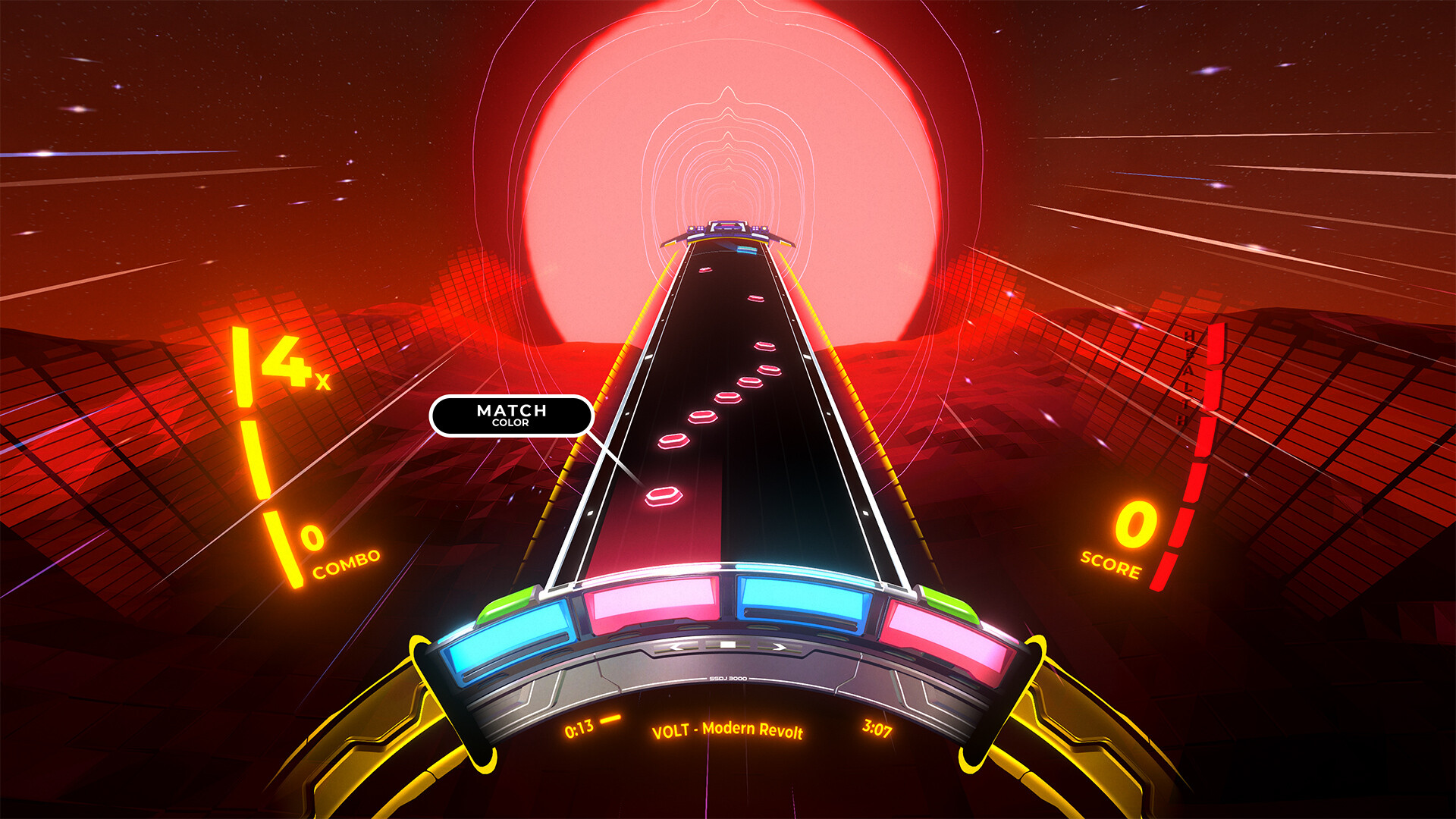
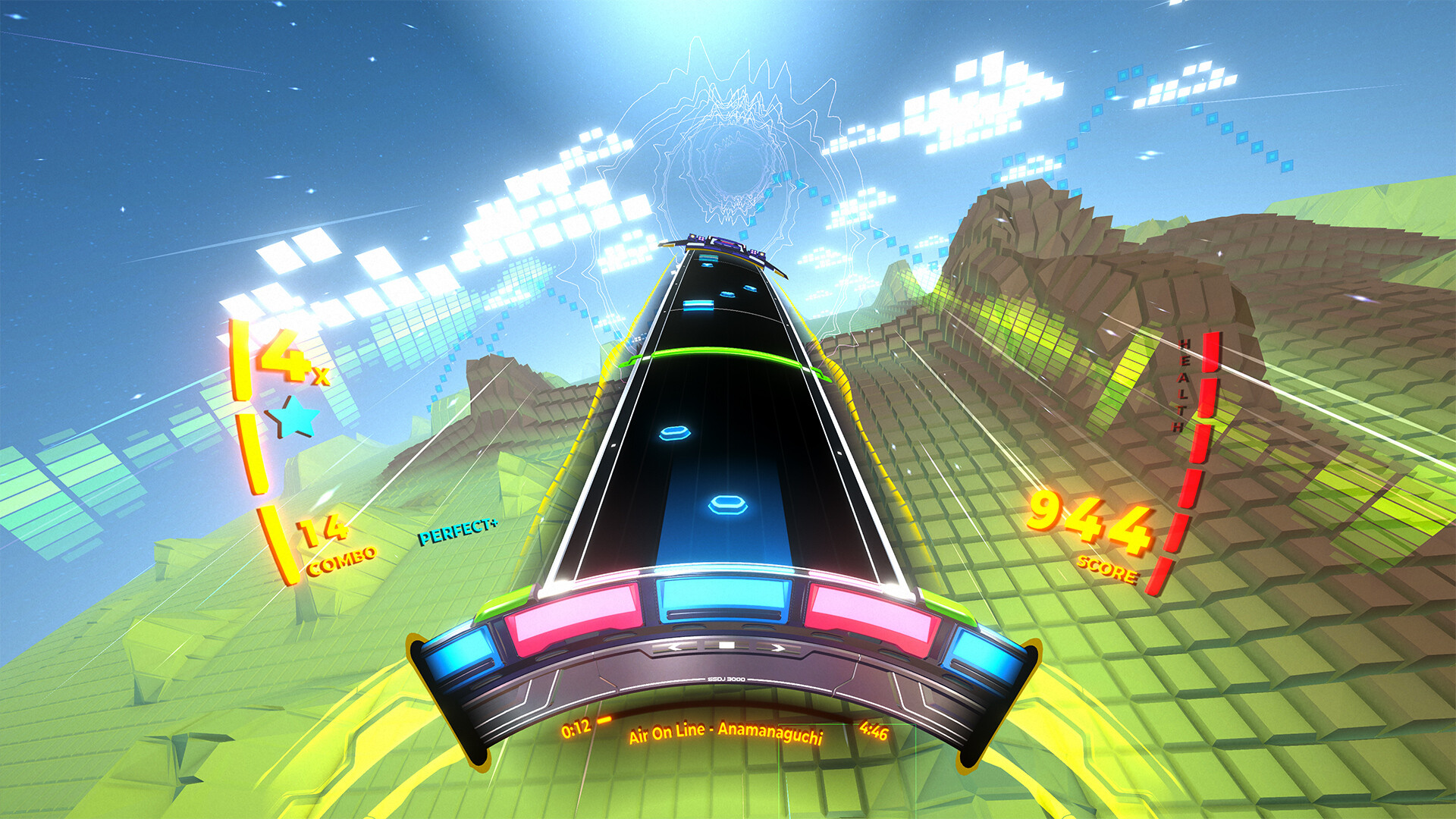
Here's what makes it special: the controls are pure, unfiltered dopamine. You spin a wheel to match beats, you flick to change colors, you slam down on beats. It feels like you're playing the music, not just tapping along to it. The soundtrack is stacked—Ne Obliviscaris, Teminite, Tokyo Machine, Camellia—and the visualizer syncs so tight it'll make your brain tingle.
But what I hate? The difficulty curve is a goddamn cliff. The tutorial teaches you the absolute basics and then throws you into a pool with sharks. There's no "easy mode" handholding. You either learn to spin fast or you quit. And the calibration? Out of the box, it's almost always wrong. You'll think you're on-beat, the game will call you trash, and you'll starting blaming your keyboard. 90% of the time, it's not you. It's the latency setting.
So if you're reading this because you just bought the game, got flattened by your third song, and you're wondering if you wasted your money—you didn't. You just need a little help. I got you.
Why You're Probably Getting Your Ass Kicked
Let's name the real problems. The ones that made me alt-F4 twice in my first week.
1. You can't hit the double spins. The game throws two consecutive spin notes at you, and you panic-spin and miss both. I've been there. Your wrist locks up, you overshoot the spin, and suddenly you're at 60% accuracy wondering where your life went wrong.
2. You're burning through all your spins on the color-change notes. See, the wheel has to physically rotate to a new color zone. If you're spamming spin to dodge a red section but the next beat is a yellow tap, you've already lost the point. You're fighting the physics of the wheel, and the wheel is winning.
3. The calibration is eating your inputs. I swear to god, 75% of new player complaints are just bad calibration. You hit a note perfectly, the game says "Miss," and you assume you suck. You don't. The game is lying to you. Go into settings, turn on the latency test, and trust the visual offset slider. I run +18ms on a 144Hz monitor with a wired controller. Yours will be different, but you HAVE to tune it.
4. Your grip is wrong. I see so many new players holding the mouse like they're aiming in CS:GO. You don't need that. You need a loose, almost lazy wrist. Death-gripping the mouse makes you slow and inaccurate. Loosen up, let the wheel glide.
5. You're trying to read the whole chart at once. Stop that. You're not supposed to see the next 8 notes and plan a strategy. You're supposed to react. When you try to read ahead, your brain buffers and you miss the note in front of you. Trust the music. The beat tells you when to move.
Pro tip from someone who learned this the hard way: Play every new song on Easy first. Not because you're bad. Because Easy strips out 50% of the visual noise and lets you learn the rhythm patterns. Once you can FC (full combo) an Easy chart without thinking, bump it to Normal. Then Hard. You'll learn faster than forcing Hard from the start and getting demoralized.
First 10 Hours: What Nobody Tells You
I wish someone had handed me a cheat sheet Day 1. Here's what you actually need to know.
Go calibrate right now. Seriously. Close this guide, open the game, go to Options > Calibration > Auto Calibrate. Run it three times. Take the average. Then play one song, and if you're still getting "Miss" on notes you felt you hit, adjust the Visual Offset in +5ms increments until it clicks. I spent three hours on "Mirai Sekai" missing every other note because I was +12ms off. Three hours. Don't be me.
Learn the three input methods, pick one, stick with it.
- Mouse – Most precise for spinners and flicks. Best for high-speed charts. Your wrist will hurt at first. Do hand stretches.
- Keyboard only – Use A and D for spin left/right, J and K for tap notes. Some top players swear by this for consistency.
- Controller (stick) – Feels amazing for analog spin control but terrible for fast color switches. Don't try it on "Bass Drop" on Hard unless you hate yourself.
I use mouse. If you're on keyboard, bind your spin keys to something comfortable. Default bindings are fine but I remapped Spin Left to Q and Spin Right to E so I could keep my left hand on movement and right hand on spacebar for tap hits. It's a game changer for hand separation.
Your first 5 songs should be these:
- "Loosid – Clouds" (Easy) – Teaches you steady spins with predictable beats.
- "Tokyo Machine – BUBBLES" (Normal) – Gets you comfortable with color switches mid-spin.
- "Teminite – Beast Mode" (Normal) – Prepares you for fast, aggressive rhythms.
- "Ne Obliviscaris – Equus" (Easy) – Long song, teaches endurance. Don't rush it.
- "Camellia – crystallized" (Easy) – Don't. I'm joking. Don't do this to yourself. Play "xenoma" on Normal instead.
Don't touch the shop until you've played 10 songs. The game tries to sell you skins and effects. Ignore them. None of them make you better. The only thing worth buying early is the Crossfader skin (the thing you tap on) because the default one has a weird hitbox. I spent 500 coins on a neon trail effect and it actually made my game lag. Fuming.
Turn off the "Auto-Spin" option. I know. You're tempted. "Oh, the wheel spins by itself so I just tap to the beat?" No. It teaches you bad timing. You'll rely on it, then turn it off and suddenly can't hit anything. Learn to spin manually. It's not that hard, I promise.
The Stuff You Only Learn After 100+ Hours
Alright, you've got 20 hours in. You're not terrible anymore. But you're stuck. You can't break into Expert. You're missing the same patterns over and over. Here's what I figured out through sheer stubbornness.
Double spins are a wrist roll, not a wrist twist. When you see two spin notes in a row, don't try to spin the wheel back and forth rapidly. You'll lose control. Instead, roll your wrist in one fluid motion—imagine you're trying to wipe water off a table with your palm. The wheel follows the momentum. It's a single smooth gesture, not two separate spins. Practice this on "JUMP" (Normal) for five minutes. You'll feel the difference.
Color changes are about predictive positioning, not reaction speed. The game tells you the next color before the note arrives by showing a small colored arrow on the track. Most players ignore this. Don't. Train yourself to look at the little arrow, not the note itself. If you see a yellow arrow coming, start moving the wheel toward yellow before the note even appears. By the time you need to hit it, you're already there. This single habit took me from "Barely passing Hard" to "Comfortably clearing Expert."
The spin tap is your most powerful tool, and you're not using it. You know how you can tap the spacebar while spinning to hit a note without stopping the spin? That's the Spin Tap. Most new players stop spinning to hit the note, then start spinning again. That loses you the combo. Hold your spin input, tap the note input, keep spinning. It feels unnatural at first, but once you get it, you can maintain a continuous spin through an entire section and just tap the beats as they pass. That's how top players get 99% accuracy on "Algorithm" on Expert. They never stop moving.
Use the practice mode (but do it right). Go into Practice Mode and turn on 0.75x speed. Play the section you suck at at 75% speed until you miss zero notes. Then bump to 0.85x. Then 1.0x. Then 1.15x. Then go back to normal speed and watch yourself crush it. This is how I finally beat the ending of "Hurtling Through Time" on Expert. I spent two hours practicing the last 30 seconds at half speed. It felt stupid. It worked.
Your accuracy matters more than your score. Spin Rhythm XD calculates your rank based on accuracy per note, not total points. Getting a "Perfect" on every note is better than getting a mix of "Perfect" and "Good" with a higher combo. Don't chase score. Chase 100% Perfect rate. You'll naturally get the score anyway. I have a friend who can't full combo anything but has 95% average accuracy and consistently gets higher ranks than me on my best runs. He plays slower songs perfectly. I play fast songs sloppily. He wins.
Download custom charts. The base game has about 50 songs. The community has made thousands. Go to SpinShare (dot) xd and grab some. The quality varies wildly—some are unplayable garbage, some are better than the official charts. My favorites: "Porter Robinson – Sea of Voices" (masterpiece of flow), "Kobaryo – Spooky" (do not play this unless you want to break your keyboard), and "Madeon – Finale" (perfect for intermediate players). Custom charts will double your playtime and teach you patterns the official songs don't cover.
Dumb Shit I Did So You Don't Have To
I've made every mistake in this game. Let me save you some pain.
Mistake #1: Playing on max brightness. I thought it looked cooler. Then I started getting eye strain after 30 minutes and missing notes because I couldn't see the little indicator arrows against the bright background. Turn your brightness down to about 60-70%. The notes will pop more, you'll read the chart better, and you can play for an hour without a headache.
Mistake #2: Ignoring the scroll speed setting. Default scroll speed is way too slow. Notes stack up on each other, you can't read fast patterns, and you panic. Set your scroll speed to at least 1.3x or 1.5x. Notes will spread out, you'll have more time to react, and your accuracy will jump 5% instantly. I play at 1.7x on Expert. It feels like the game is going faster but I actually miss less because the notes aren't clumped together.
Mistake #3: Playing tired. This game is pure hand-eye coordination. If you're sleepy, your reaction time drops by 100-200ms. That's enough to turn a Perfect into a Miss. I played at 2 AM after a long day and kept failing a song I had FC'd earlier that afternoon. I wasn't getting worse. I was just tired. Set a rule: if you fail the same song three times in a row, stop playing for the night. Come back tomorrow fresh. You'll clear it first try.
Mistake #4: Not using the "Hide Score" option. I was obsessed with my score bar. I'd glance at it mid-song, see I was at 94%, get nervous, and choke the next pattern. Go into Options > Interface > Hide Score. Check it. Play like that for a week. You'll relax. You'll play better. Then turn it back on and watch your scores jump because you're not stressing over the number while you're trying to play.
Mistake #5: Thinking you need a fancy controller. No you don't. I've seen people hit 99.8% accuracy on Expert with a 20-dollar office mouse. I played on a $30 KB from Amazon for six months. The hardware isn't the bottleneck. Your skill is. Don't buy a $200 DJ controller thinking it'll fix your problems. It won't. Practice will.
Mistake #6: Forgetting to stretch. Okay, this sounds silly, but I developed wrist pain after two weeks of playing 4 hours a day. Do wrist stretches before you play: roll your wrists in circles for 30 seconds each way, flex your fingers back, and shake your hands out. Every 30 minutes, take a 5-minute break. Your wrists will thank you at age 40.
FAQ – The Questions You're Too Afraid To Ask
Q: I'm playing on a laptop trackpad. Am I doomed?
A: Yeah, pretty much. The trackpad doesn't have the precision for fast spins. Get a mouse. Even a $10 one will change everything. If you absolutely can't, keyboard mode is your only hope.
Q: What's the best song to practice spinning?
A: "Panda Eyes & Teminite – Highscore" on Normal. It has long, consistent spin sections with no color changes. You can zone out and just spin for 30 seconds straight. It trains your wrist endurance like nothing else.
Q: Why do I keep getting "Bad" on notes I swear I hit?
A: Calibration is off. 95% chance. Go run the auto-calibration again. If that doesn't fix it, check if you're using V-Sync. Turn V-Sync off if you have a high refresh rate monitor. It adds input lag. I turned mine off and my accuracy went from 88% to 94% overnight.
Q: The game says "Unstable Frame Time" on my screen. What do I do?
A: Your PC is struggling. Drop the Visual Quality setting to Medium. Turn off Post Processing and Motion Blur. Those effects look nice but they eat frames. You want a rock-solid 60 FPS minimum. If you're getting stutters, you'll miss notes and blame yourself.
Q: How do I unlock spin effects or new wheels?
A: Play songs. Complete challenges. The game gives you coins after each song (more for higher accuracy). Save up 3000 coins and buy the "Chromatic" wheel skin. It's the best one for clarity. Every other skin is cosmetic fluff.
Q: I'm stuck on "Bass Drop" on Hard. Send help.
A: This song is a filter. The opening is fine, the middle is a massacre. The trick is the section at 1:45 where it's double spins followed by immediate color changes. Practice that section at 0.8x speed in Practice Mode. Slow down the wheel movement. Once you can hit that part consistently, the rest of the song is free. I failed this song 12 times before I beat it. It's not you. It's designed to be brutal.
Q: Can I play this game with a dance pad?
A: Some maniacs do. They also play Doom Eternal using a toaster. You don't need to be a meme. Stick to mouse or keyboard.
Q: The music in this game is so good. Where do I find similar artists?
A: Look up the Monstercat and UKF labels. The game's soundtrack is heavy on electronic, drum & bass, and dubstep. Ne Obliviscaris is a metal band—check them out if you want something heavier. Also, the custom chart community has entire albums mapped. I played through "Wolfgang Gartner – Weekend In America" last week. Pure joy.
Sign in to post a comment.
Sign in with GitHub to join the discussion.
💬 Comments
What players are saying:
Holy shit, turning off the score display actually fixed my nerves. I was stuck on "Equus" on Hard for a week, read your tip to hide score, passed it first try with 96% accuracy. Game changer. Also your calibration advice saved me—turns out I was +22ms off. No wonder I kept missing.
Gonna disagree on scroll speed. I tried 1.5x and it felt way too fast for me. I play at 1.1x and I'm holding steady at 93% average on Expert. Think it's more personal preference than a one-size-fits-all stat. But the wrist roll tip for double spins? That's the real shit. Made "BUBBLES" feel easy for the first time. Good guide overall, just maybe chill on the scroll speed dogma.
Can confirm the custom charts tip. I downloaded "Sea of Voices" based on your recommendation and it's genuinely the most beautiful rhythm game experience I've ever had. Not a single spin, just pure flow and color transitions. I cried a little. The base game is great but the community is carrying this game on their backs. Great guide, thanks for telling me about SpinShare.